# 🚀 **OpenHealth**
<div align="center">
**AI Health Assistant | Powered by Your Data**
<p align="center">
<img src="https://img.shields.io/badge/Platform-Web-blue?style=for-the-badge" alt="Platform">
<img src="https://img.shields.io/badge/Language-TypeScript-blue?style=for-the-badge" alt="Language">
<img src="https://img.shields.io/badge/Framework-Next.js-black?style=for-the-badge" alt="Framework">
</p>
> **📢 Now Available on Web!**
> We've made OpenHealth more accessible with two tailored options:
> **[Clinic](https://qna.open-health.me/)** - Quick and easy health consultations
> **[Full Platform](https://www.open-health.me/)** - Advanced tools for comprehensive health management
### 🌍 Choose Your Language
[English](README.md) | [Français](i18n/readme/README.fr.md) | [Deutsch](i18n/readme/README.de.md) | [Español](i18n/readme/README.es.md) | [한국어](i18n/readme/README.ko.md) | [中文](i18n/readme/README.zh.md) | [日本語](i18n/readme/README.ja.md) | [Українська](i18n/readme/README.uk.md) | [Русский](i18n/readme/README.ru.md) | [اردو](i18n/readme/README.ur.md)
</div>
---
<p align="center">
<img src="/intro/openhealth.avif" alt="OpenHealth Demo">
</p>
## 🌟 Overview
> OpenHealth helps you **take charge of your health data**. By leveraging AI and your personal health information,
> OpenHealth provides a private assistant that helps you better understand and manage your health. You can run it completely locally for maximum privacy.
## ✨ Project Features
<details open>
<summary><b>Core Features</b></summary>
- 📊 **Centralized Health Data Input:** Easily consolidate all your health data in one place.
- 🛠️ **Smart Parsing:** Automatically parses your health data and generates structured data files.
- 🤝 **Contextual Conversations:** Use the structured data as context for personalized interactions with GPT-powered AI.
</details>
## 📥 Supporting Data Sources & Language Models
<table>
<tr>
<th>Data Sources You Can Add</th>
<th>Supported Language Models</th>
</tr>
<tr>
<td>
• Blood Test Results<br>
• Health Checkup Data<br>
• Personal Physical Information<br>
• Family History<br>
• Symptoms
</td>
<td>
• LLaMA<br>
• DeepSeek-V3<br>
• GPT<br>
• Claude<br>
• Gemini
</td>
</tr>
</table>
## 🤔 Why We Built OpenHealth
> - 💡 **Your health is your responsibility.**
> - ✅ True health management combines **your data** + **intelligence**, turning insights into actionable plans.
> - 🧠 AI acts as an unbiased tool to guide and support you in managing your long-term health effectively.
## 🗺️ Project Diagram
```mermaid
graph LR
subgraph Health Data Sources
A1[Clinical Records<br>Blood Tests/Diagnoses/<br>Prescriptions/Imaging]
A2[Health Platforms<br>Apple Health/Google Fit]
A3[Wearable Devices<br>Oura/Whoop/Garmin]
A4[Personal Records<br>Diet/Symptoms/<br>Family History]
end
subgraph Data Processing
B1[Data Parser & Standardization]
B2[Unified Health Data Format]
end
subgraph AI Integration
C1[LLM Processing<br>Commercial & Local Models]
C2[Interaction Methods<br>RAG/Cache/Agents]
end
A1 & A2 & A3 & A4 --> B1
B1 --> B2
B2 --> C1
C1 --> C2
style A1 fill:#e6b3cc,stroke:#cc6699,stroke-width:2px,color:#000
style A2 fill:#b3d9ff,stroke:#3399ff,stroke-width:2px,color:#000
style A3 fill:#c2d6d6,stroke:#669999,stroke-width:2px,color:#000
style A4 fill:#d9c3e6,stroke:#9966cc,stroke-width:2px,color:#000
style B1 fill:#c6ecd9,stroke:#66b399,stroke-width:2px,color:#000
style B2 fill:#c6ecd9,stroke:#66b399,stroke-width:2px,color:#000
style C1 fill:#ffe6cc,stroke:#ff9933,stroke-width:2px,color:#000
style C2 fill:#ffe6cc,stroke:#ff9933,stroke-width:2px,color:#000
classDef default color:#000
```
> **Note:** The data parsing functionality is currently implemented in a separate Python server and is planned to be migrated to TypeScript in the future.
## Getting Started
## ⚙️ How to Run OpenHealth
<details open>
<summary><b>Installation Instructions</b></summary>
1. **Clone the Repository:**
```bash
git clone https://github.com/OpenHealthForAll/open-health.git
cd open-health
```
2. **Setup and Run:**
```bash
# Copy environment file
cp .env.example .env
# Start the application using Docker/Podman Compose
docker/podman compose --env-file .env up
```
For existing users, use:
```bash
# Generate ENCRYPTION_KEY for .env file:
# Run the command below and add the output to ENCRYPTION_KEY in .env
echo $(head -c 32 /dev/urandom | base64)
# Rebuild and start the application
docker/podman compose --env-file .env up --build
```
to rebuild the image. Run this also if you make any modifications to the .env file.
3. **Access OpenHealth:**
Open your browser and navigate to `http://localhost:3000` to begin using OpenHealth.
> **Note:** The system consists of two main components: parsing and LLM. For parsing, you can use docling for full local execution, while the LLM component can run fully locally using Ollama.
> **Note:** If you're using Ollama with Docker, make sure to set the Ollama API endpoint to: `http://docker.for.mac.localhost:11434` on a Mac or `http://host.docker.internal:11434` on Windows.
</details>
---
## Star History
[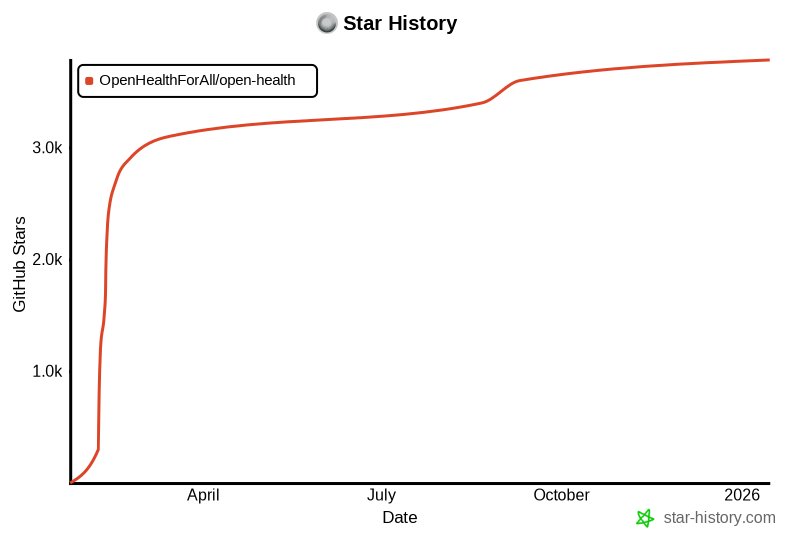](https://star-history.com/#OpenHealthForAll/open-health&Date)
---
## 🌐 Community and Support
<div align="center">
### 💫 Share Your Story & Get Updated & Give Feedback
[](https://www.reddit.com/r/AIDoctor/)
[](https://discord.gg/B9K654g4wf)
### 🤝 Talk with Team
[](https://calendly.com/open-health/30min)
[](mailto:sj@open-health.me)
</div>
