<div align="center">
# Hue - SQL Assistant for Databases and Data Warehouses


[](https://registry.hub.docker.com/u/gethue/hue/)
[](https://github.com/cloudera/hue/graphs/contributors)
[](https://github.com/cloudera/hue/stargazers)
[](LICENSE.txt)
[](https://deepwiki.com/cloudera/hue)
**Query. Explore. Share.**
</div>
## Overview
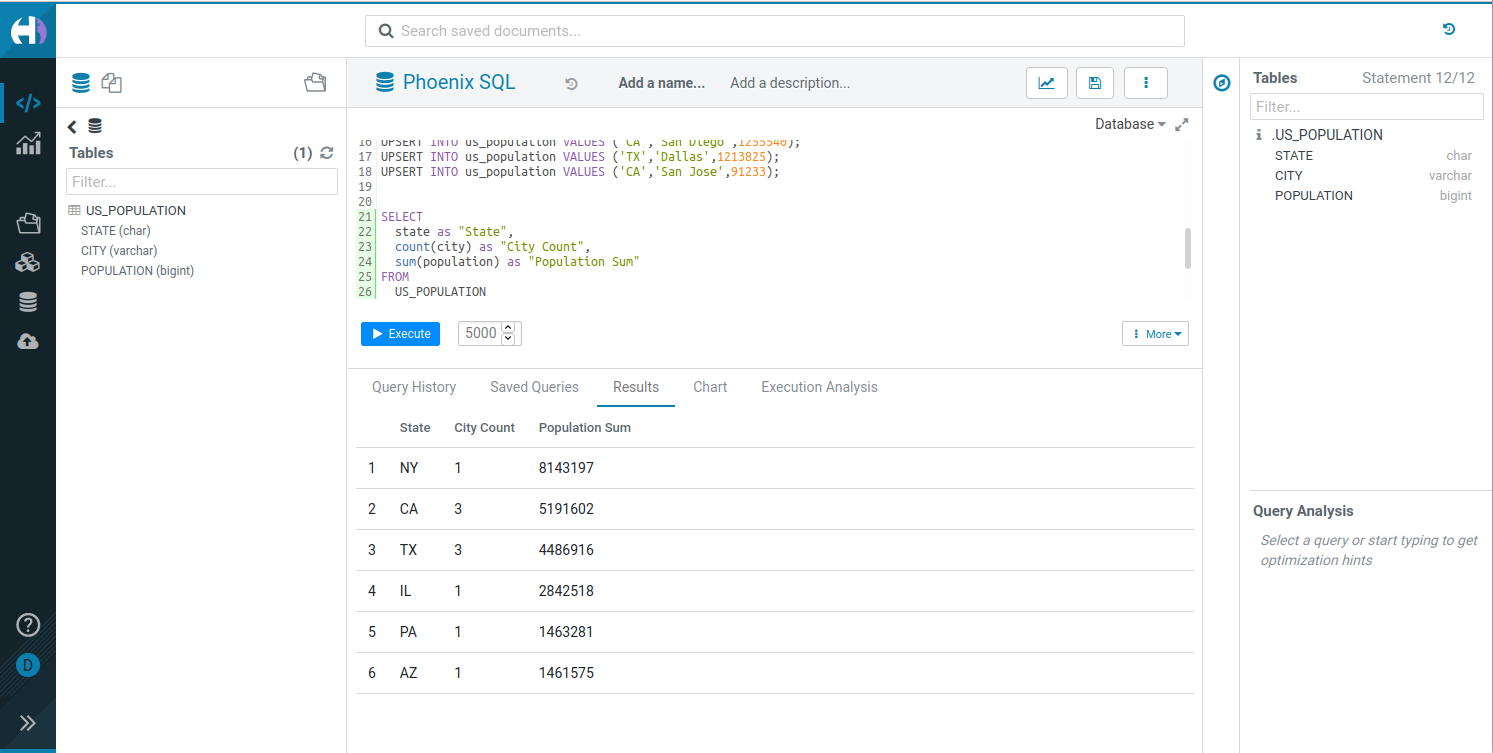
Hue is an open-source SQL Assistant for querying databases and data warehouses. Use it to explore your data, write SQL with autocomplete, and share the results.
### Key features
- **Interactive SQL editor** with syntax highlighting and autocomplete.
- **File Browser** to navigate and operate on HDFS, S3, ABFS, Ozone, and Google Storage (GS) files.
- **Job Browser** to monitor and manage Hive queries, Impala queries, YARN applications, and Livy Spark jobs.
- **Table Browser** to explore and manage database tables, schemas, and metadata.
- **Table Importer** to create Hive and Impala tables from CSV and Excel files, uploaded from your computer or imported from a remote file system (HDFS, S3, ABFS, Ozone, GS).
- **Multiple database connectors**, including Hive, Impala, MySQL, and PostgreSQL.
## Useful links
- **Website**: [gethue.com](https://gethue.com)
- **Documentation**: [docs.gethue.com](https://docs.gethue.com)
- **Connect to a database**: [Connectors](https://docs.gethue.com/administrator/configuration/connectors/)
- **Build your own editor**: [SQL Scratchpad](https://docs.gethue.com/developer/components/scratchpad/)
- **Query service**: [Kubernetes setup](https://docs.gethue.com/administrator/installation/cloud/#kubernetes) and [API](https://docs.gethue.com/developer/api/)
## Get started
- **Live demo**: [demo.gethue.com](https://demo.gethue.com/)
- **Quick integrations**:
- [Hive](https://docs.gethue.com/administrator/configuration/connectors/#apache-hive)
- [Impala](https://gethue.com/blog/quickstart-sql-editor-for-apache-impala/)
- [Trino/Presto](https://docs.gethue.com/administrator/configuration/connectors/#trino)
- [Phoenix SQL / HBase](https://gethue.com/blog/querying-live-kafka-data-in-apache-hbase-with-phoenix/)
- [Spark SQL](https://gethue.com/blog/querying-spark-sql-with-spark-thrift-server-and-hue-editor/)
Choose a deployment option to start the server. Then [configure the databases](https://docs.gethue.com/administrator/configuration/connectors/) you want to query.
### Docker
Start Hue:
```bash
docker run -it -p 8888:8888 gethue/hue:latest
```
Open [http://localhost:8888](http://localhost:8888). The first user to log in becomes the superuser.
> **Note:** The image uses an embedded SQLite database by default. Connect Hue to MySQL or PostgreSQL before real use. See the [Docker guide](tools/docker/hue/README.md).
### Kubernetes
```bash
helm repo add gethue https://helm.gethue.com
helm repo update
helm install hue gethue/hue
```
See the [Kubernetes guide](tools/kubernetes/README.md) and the [Hue Helm chart](tools/kubernetes/helm/hue/README.md) for the configuration options.
### Build from source
Hue requires Python 3.11 and Node.js 22.13 or later.
1. Install the [dependencies](https://docs.gethue.com/administrator/installation/dependencies/) for your operating system.
2. Clone the repository and build Hue:
```bash
git clone https://github.com/cloudera/hue.git
cd hue
export PYTHON_VER=python3.11
make apps
```
3. Start the development server:
```bash
build/env/bin/hue runserver
```
Open [http://localhost:8000](http://localhost:8000).
For a development environment in Docker, see [Dev Docker](https://docs.gethue.com/developer/development/#dev-docker). For more details, see the [development documentation](https://docs.gethue.com/developer/development/).
## Components
- **SQL Editor**: interactive query interface.
- **SQL Parsers**: syntax handling for multiple dialects.
- **REST and Python APIs**: programmatic access to Hue.
Learn more about the [components](https://docs.gethue.com/developer/components/) and the [APIs](https://docs.gethue.com/developer/api/).
## Contributing
Contributions are welcome. Read [CONTRIBUTING.md](CONTRIBUTING.md) to get started.
## License
[Apache License, Version 2.0](LICENSE.txt)
